AI notetaking for legal work
Record an authorised meeting, conference or dictation in your browser. Dicta creates a live transcript for you to review before you turn it into a working legal document.
From recording to document
Record
Record an authorised meeting, conference or dictation in your browser.
Review
Follow the transcript live, then correct speakers, names and wording.
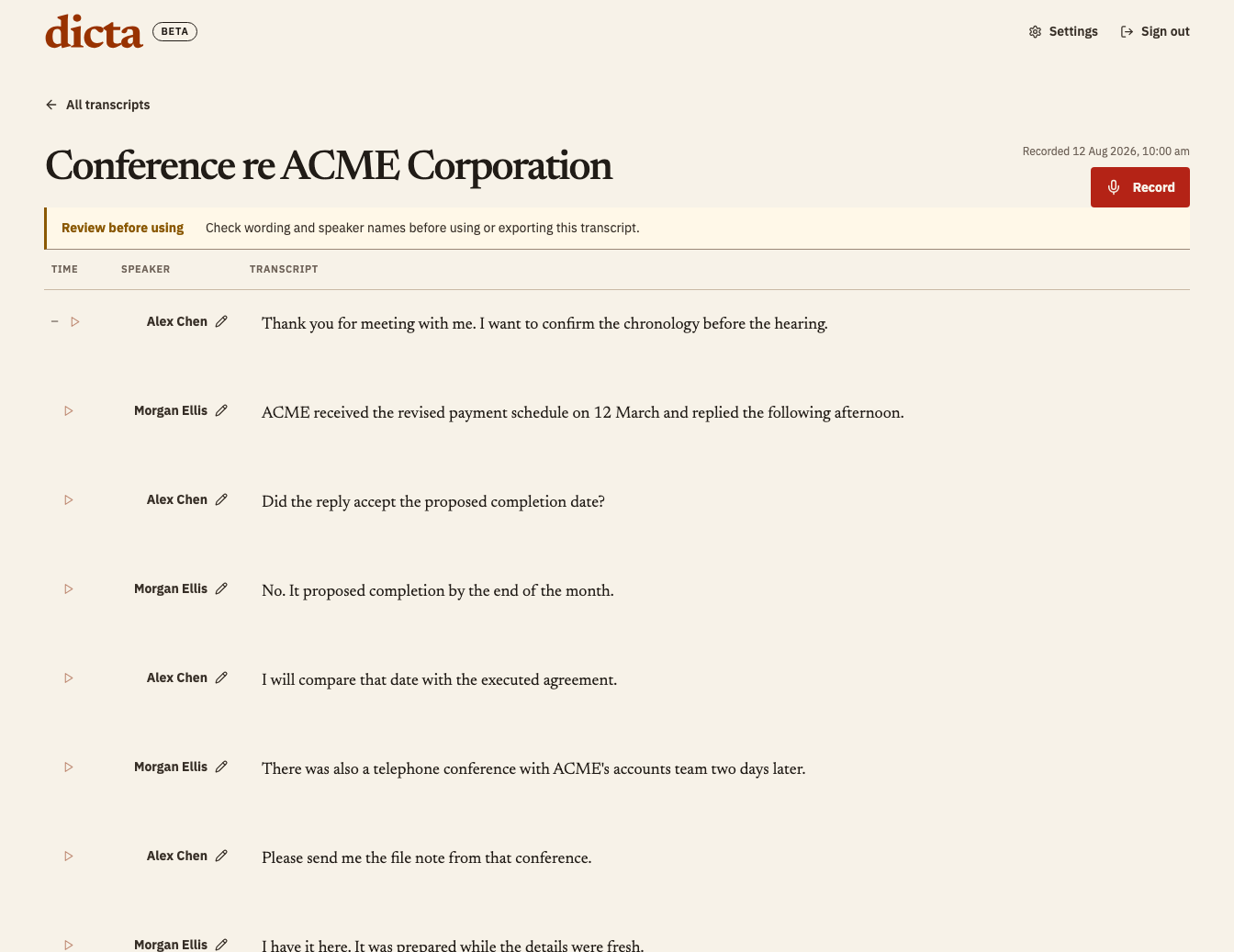
Create
Create a File Note or searchable, page-and-line Hearing PDF from reviewed wording.
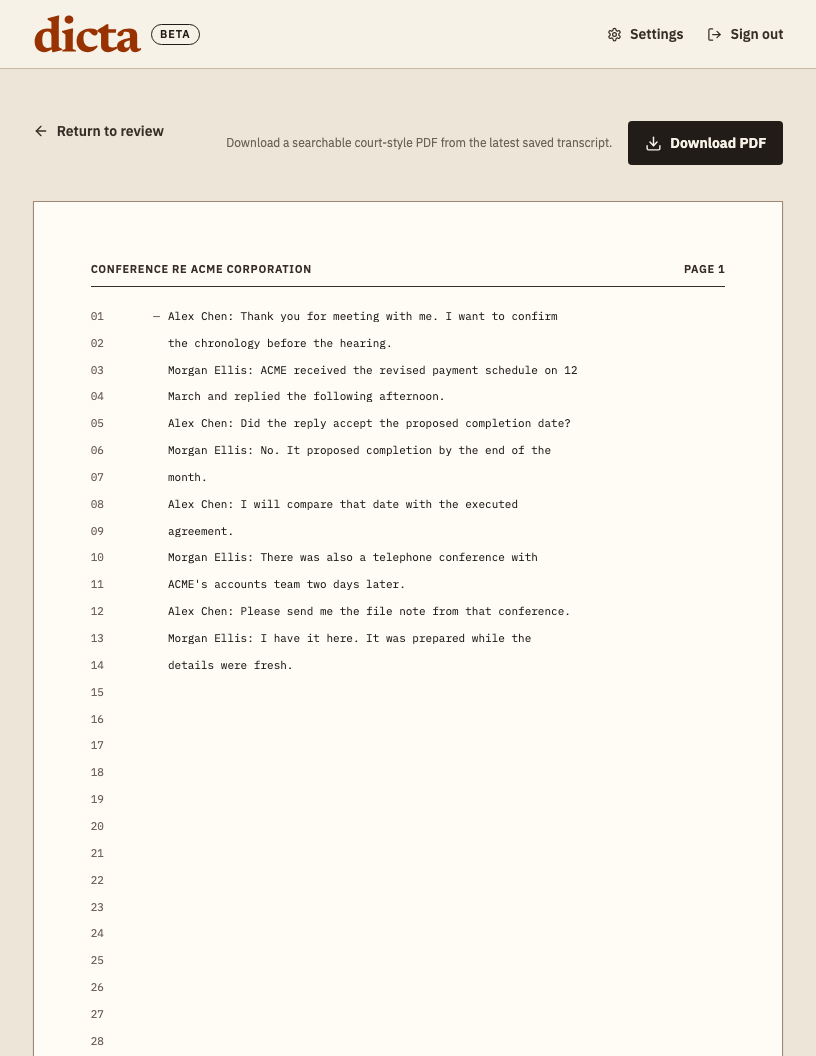
Export
Download the draft or send an available export to Google Drive or OneDrive.
- Download
- Google Drive
- OneDrive
Fictional example. Every output requires professional review.
No meeting bot joins the call
You control when recording starts and stops. Dicta does not enter a meeting as another participant. You remain responsible for recording authority and any consent your matter requires.
Review the words while they are fresh
Follow the transcript as people speak. After recording, correct names, speaker labels and wording before you use the transcript in a document.
Create from reviewed wording
Dicta can turn your reviewed transcript into a File Note or a searchable, page-and-line Hearing PDF. Each output is an automated working draft that requires professional review.
Keep control of the record
Dicta schedules source audio and transcript text for deletion within 30 days. You can delete a transcript sooner from its transcript page. The security and data handling page lists the providers involved.